Help · Responses
Reading responses
Summary, table, filters, stars and notes, one response at a time, where people stop.
Responses in the builder's top bar opens the form's responses. Three views:
- Summary: a count per option, star or step, averages for numbers, the NPS score and the latest text answers.
- Table: every response, with deleted questions still shown as such.
- Where people stop: for each question, how many people got that far and went no further, so you can see which question loses people. Nothing about who they were is kept, only how far they got.
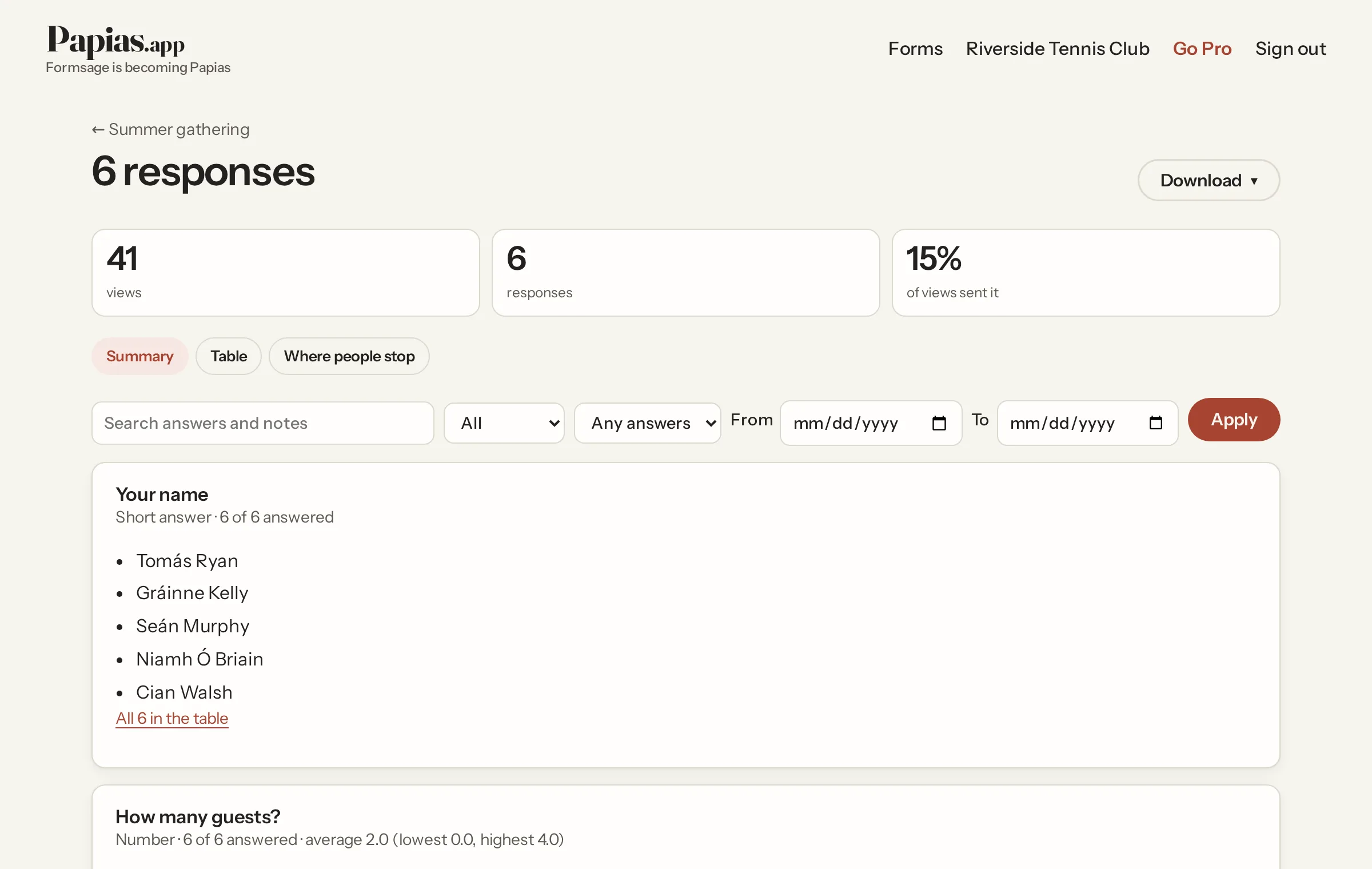
Filters
Search the answers and notes, show open, starred or done, a date range, or responses with a given answer to a choice, dropdown, checkboxes, rating, scale or consent question. The summary, the table and the downloads all follow the filters, so "download everyone who ticked Vegetarian" is a filter and a click.
One response
Click a row for the response on its own: every answer, Newer and Older within your filters, a note, Print or save as PDF, delete, and Edit answers for the simple kinds (not files, signatures, grids, rankings or groups). Each edit is checked like the original answer, recorded with who changed it and when, and shown under the answer.
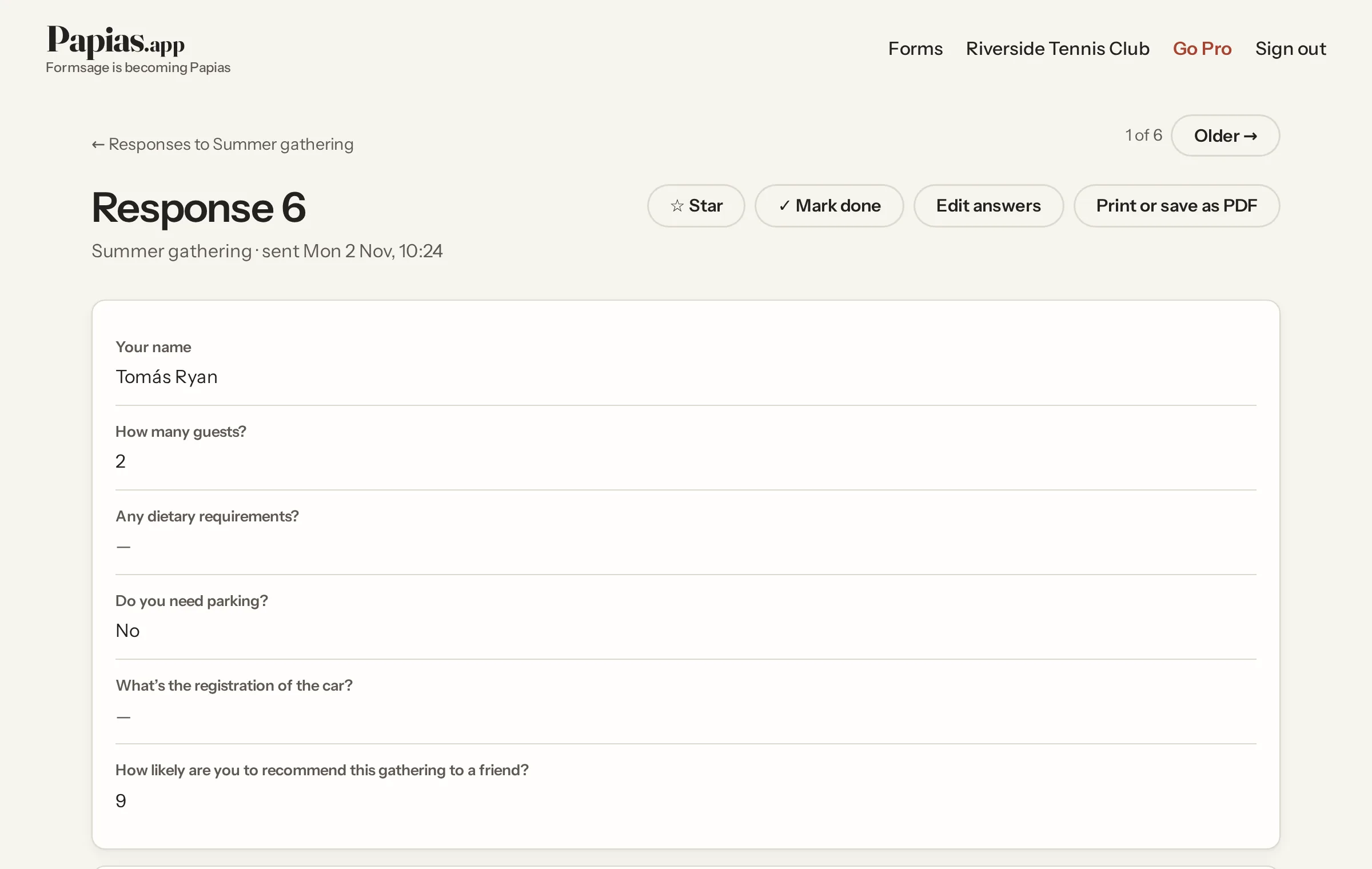
Star and Done mark responses from the table or the response; they end up as columns in the spreadsheet. Deleting a response deletes its files.
Not what you were looking for? Ask us, and we'll answer and fix the page.