Help · Building a form
Show a question only if…
Conditions on questions, and which kinds they can look at.
Any question can be shown only when an earlier answer calls for it. Select the question, and in the panel on the right under Show only if pick the question above to look at, a rule and a value.
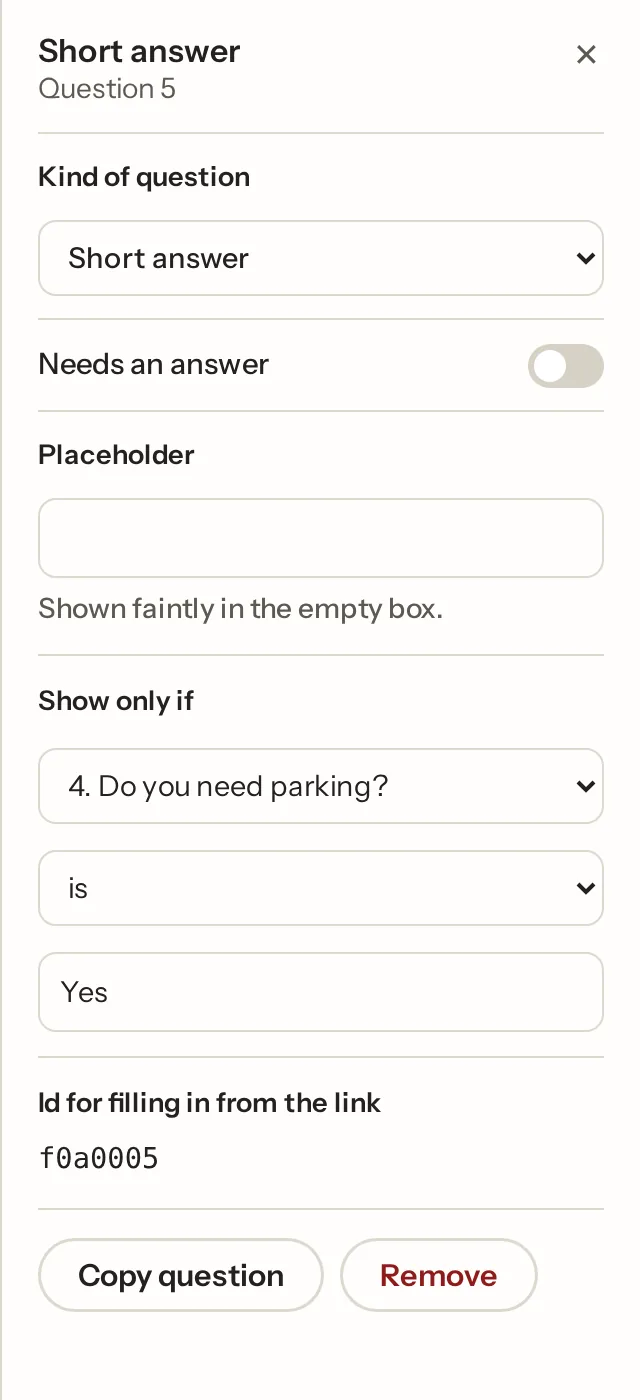
The rules are is, is not, contains, is answered, is not answered, and for numbers, ratings, scales, NPS and priced choices, is more than and is less than. A grid, ranking, file or signature question can only be looked at with "is answered" or "is not answered".
The condition is checked live on the page, so the question appears and disappears as the person answers, and checked again on our side when the form is sent. A hidden question is never required and anything it held is dropped. Removing a question clears the conditions that pointed at it.
More than one condition: and, or
Press + Add another condition to look at more than one answer, then choose how they combine at the top: all of these are true (and: "they're coming *and* bringing children") or any of these is true (or: "they need step-free access *or* ticked Other"). Up to ten conditions on a question. The canvas spells it out under the question, "Only if Coming? is Yes and How many children? is more than 0". To take one away, set its question to Remove this condition. Different endings take and/or conditions the same way, and a form answered as a conversation follows them too.
Two shortcuts when you type questions: "If yes, what's the registration?" is added already shown only when the nearest Yes/No question above is answered Yes, and "If other, please specify" the same with "Other", which is added to that question's options if it's missing.
Conditions also drive different endings and, inside a repeating group, can look at the group's own earlier questions. In the one-question-at-a-time layout, hidden questions are skipped.
Not what you were looking for? Ask us, and we'll answer and fix the page.