Help · Building a form
Prices on options, totals and calculations
A number behind each option, a Calculation that adds up as people type.
Values on options
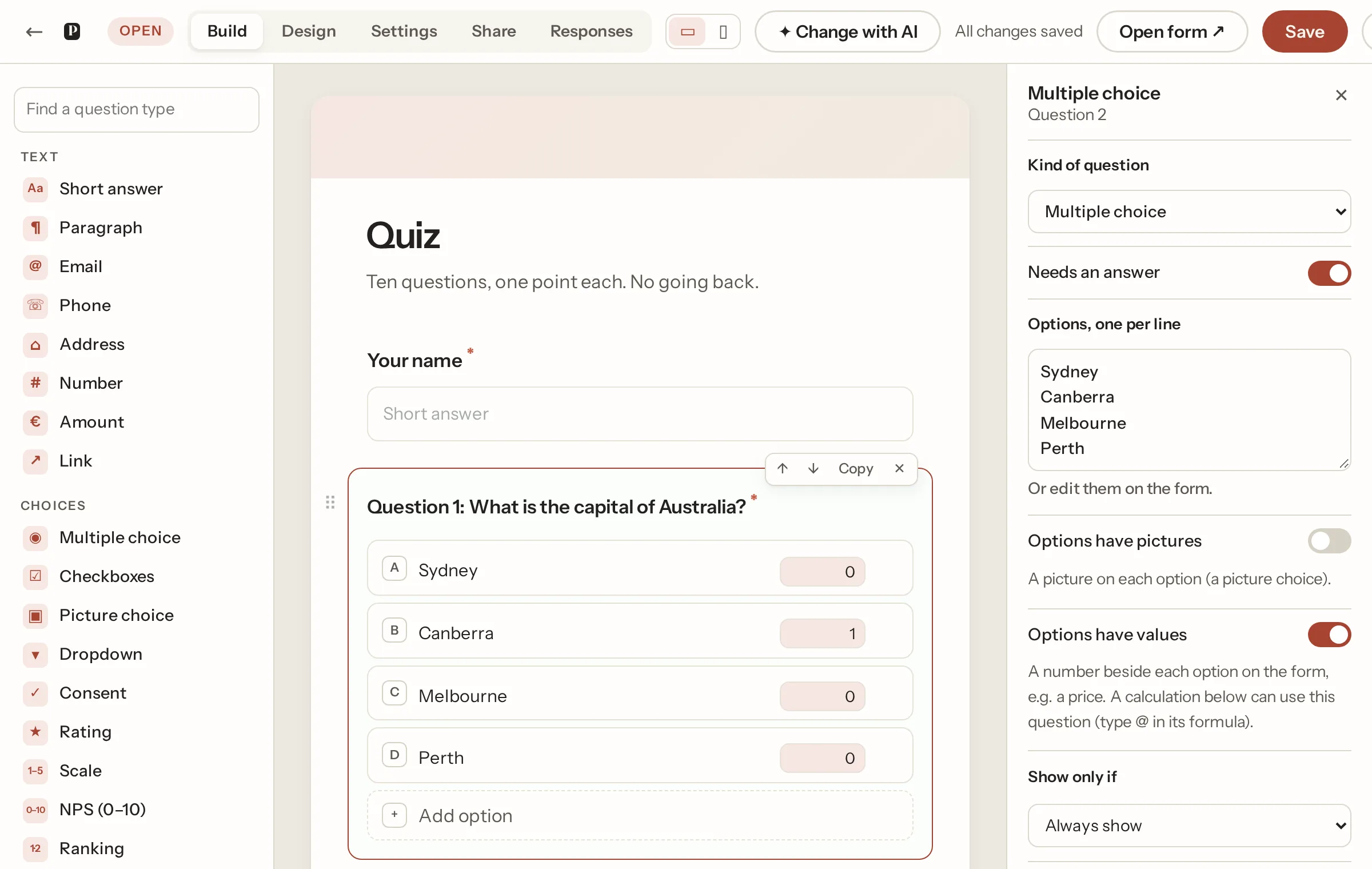
On a multiple choice, checkboxes or dropdown question, switch on Options have values in the panel and a small box appears beside each option. Put a number in it: a price, points for a quiz, a weight. The person still sees the option's words (write the price into the text if you want it seen: "Large (€50)"). Checkboxes add up the ticked options. Typing "Small (€30)", "large €50" or "$12.50" into an option fills the value in for you.
Calculations
A Calculation is a formula over earlier numeric answers: Number, Amount, Rating, Scale, NPS, priced choices, and the item count or inner totals of a repeating group. Press @ in the formula to pick a question; the formula uses + - * / and brackets. Show it on the form or keep it hidden. The total updates live as the person types, and is worked out again on our side when the form is sent; the browser's figure is never trusted.
A quiz is a priced choice per question (the right answer worth 1, the others 0), one Calculation named Score, and endings by band. The Quiz template is built that way.
Amounts
An Amount question takes money in the form's currency, which follows the form's country (Settings › Country and language). Organisers see the amount with its sign; the spreadsheet gets a number.
Not what you were looking for? Ask us, and we'll answer and fix the page.