Help · Building a form
Repeating groups
A set of questions asked once per attendee, child or item.
A Repeating group is a set of questions the person answers as many times as they need: each attendee's name and dietary needs, each child's age, each item and its quantity. Add the group from the Layout kinds, or type "Attendees", "For each child" or "Details of each guest" on the + line and it's guessed.
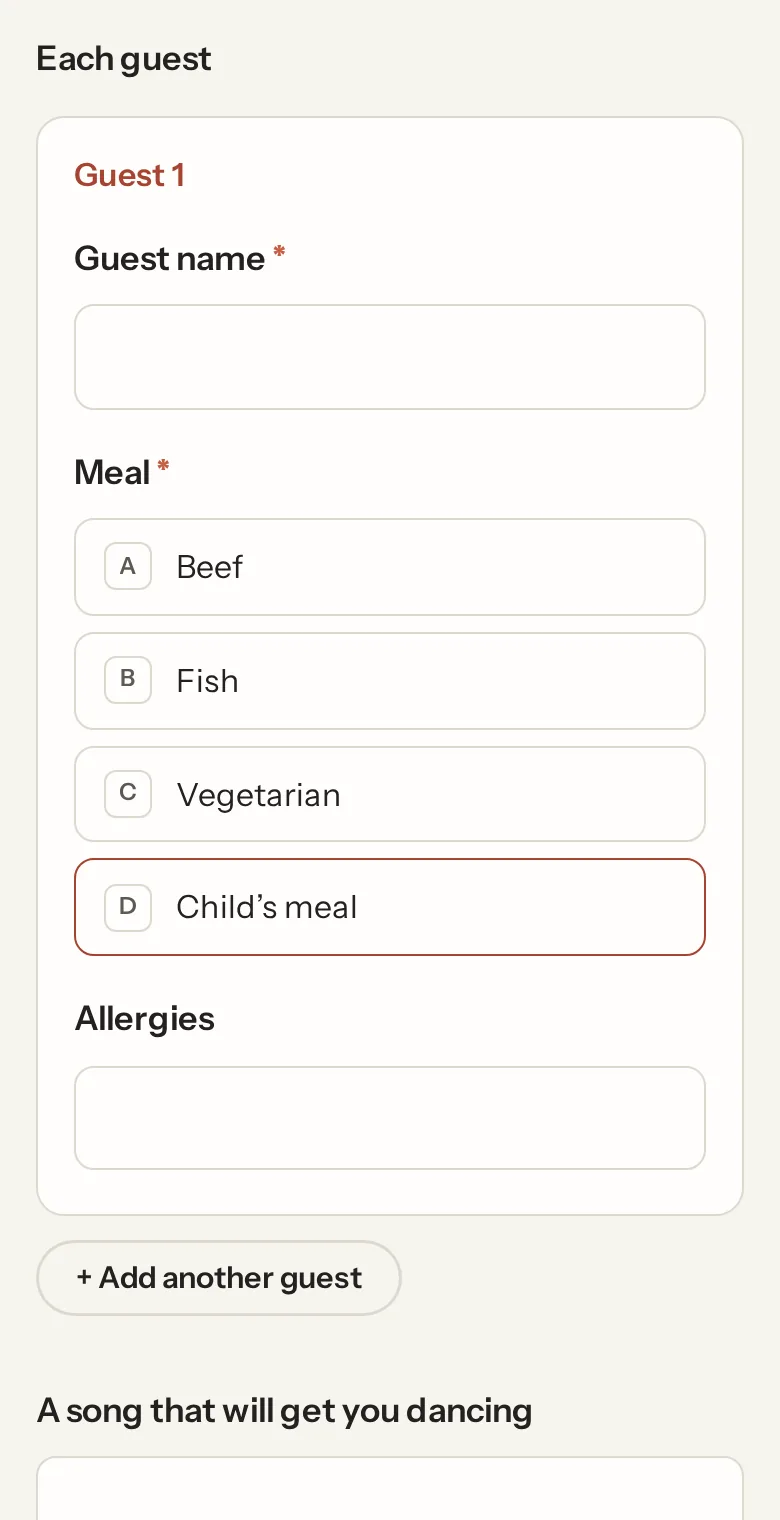
In the builder the group's questions sit between the group's heading and its end marker; the group has its own + line. It moves and copies as a block. Removing the group keeps its questions. In the panel you set the word for one item ("attendee"), the fewest and most items, and optionally count from an earlier Number question: "How many attendees?" then grows the form to that many blocks.
A group holds the ordinary kinds. It can't hold another group, a page break, a file, a signature, a calculation, a payment or a hidden field.
In the answers
Each item is one row of answers. The responses page shows "3 attendees" with the details, summaries count across every item, and the spreadsheet has numbered columns ("Attendee 2: Name") or, with the per-item download, one row per item. Webhooks get a list per item.
Conditions and calculations after the group see it as its number of items, and a number inside it as the total across items: a group of items each with a quantity feeds "Total items" with no extra work. Inside the group, a condition can look at the group's earlier questions or at anything above the group.
Not what you were looking for? Ask us, and we'll answer and fix the page.