Help · Building a form
Colours, fonts, cover, logo, backgrounds and pictures
Make the form look like yours.
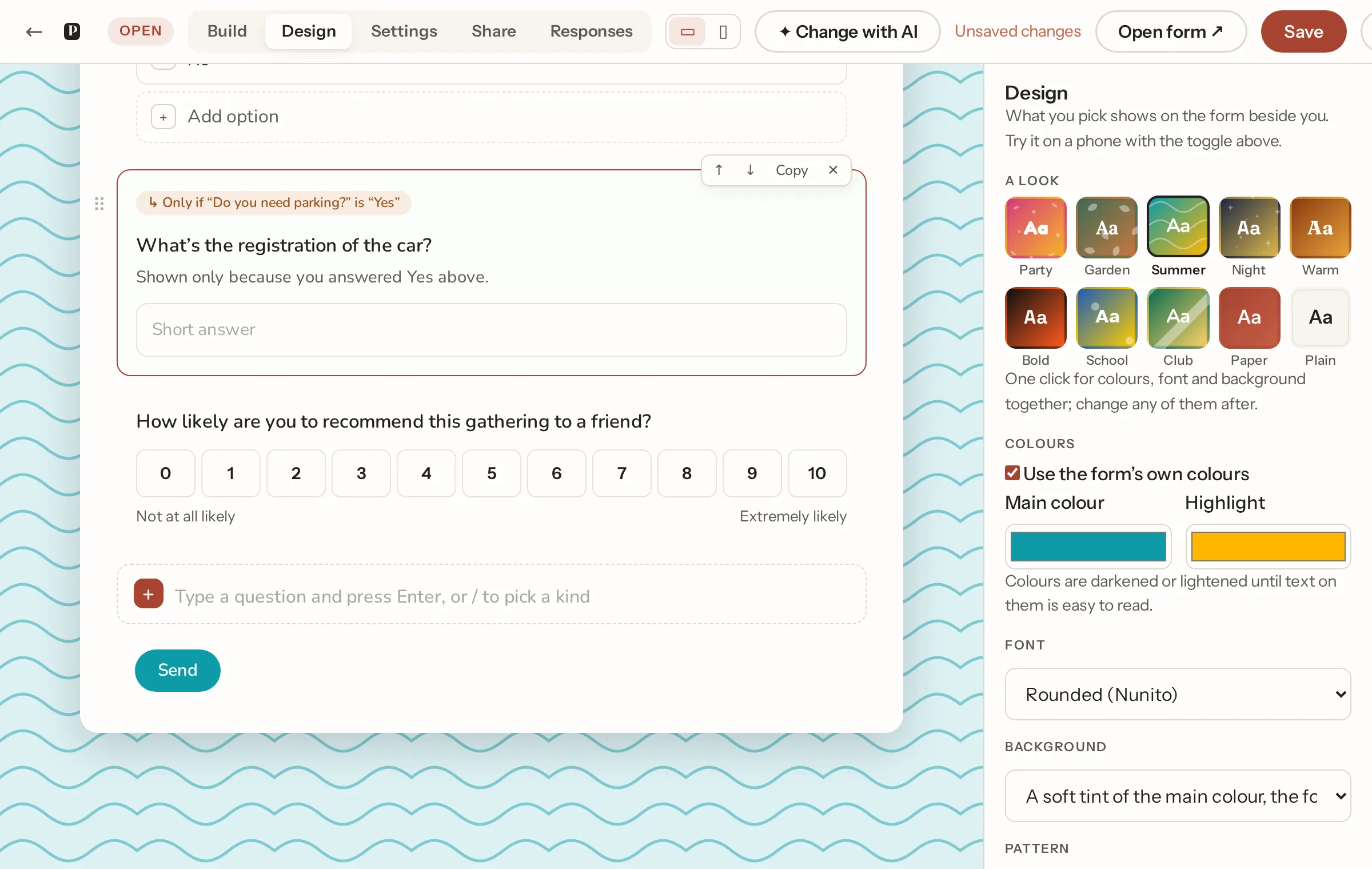
The Design tab, beside the form so what you pick shows at once. Start with a look: one click sets colours, a font, a background, a pattern and a button shape together (Party, Garden, Summer, Night, Warm, Bold, School, Club, Paper, Plain), then change any of them.
- Colours: the main colour and an accent. A pale colour is deepened until it reads against the page, so a club's yellow still works.
- Font: Clean (Instrument Sans), Rounded (Nunito), Extra legible (Atkinson Hyperlegible), Warm serif (Fraunces), Classic serif (Lora), Modern (Space Grotesk), the device's own font, and the playful ones: Playful (Fredoka) and Chunky (Baloo 2) for the whole form, Handwritten title (Caveat) and Script title (Pacifico) for the title and headings only, so the questions stay easy to read. The fonts are served from our site, nothing from Google.
- Cover image and logo: uploaded and saved at once (PNG, JPEG, GIF or WebP; 5 MB and 2 MB). They are public, unlike answers' files. Or Choose a picture from our gallery: illustrated covers for occasions (birthday, wedding, baby, Christmas, Halloween, a club's kit) drawn in Papias's own style, a softer storybook set for the same occasions and more (school, a conference, a charity run, garden, food, music), both shown whole, and abstract textures that fill the band or the whole page. They're ours, so they don't count toward your file storage.
- Background: the plain page with a cover band; a soft tint of your colour; the colour itself; or the cover picture across the whole page with the form on a card.
- Pattern: confetti, dots, stripes, waves, stars or leaves, drawn in your main colour across a tinted or coloured page. We draw them ourselves, so there is nothing to find or upload and nothing loaded from anyone else's server.
- Shade over the picture: when the cover picture is the whole page, darkened with white text (the usual), lightened with dark text, or left as it is.
- Card and title: tint the card with the main colour, and put the title in it.
- Buttons: rounded, pill or square.
- Layout: one question at a time, see pages and layout.
Pictures on the form
A Picture block goes between questions with an optional caption. On a multiple choice or checkboxes question, Options have pictures gives each option a picture slot; the form shows them as cards with the picture above the text. Pictures count toward your plan's file storage and are kept with the form; a copy of the form copies them.
The thanks, closed and password pages wear the same colours, font and background.
Not what you were looking for? Ask us, and we'll answer and fix the page.