Help · Sending responses on
Payments in forms
A Payment question, paid on Stripe Checkout into your own Stripe account.
Payments go into your own Stripe account, connected to your workspace: your dashboard, your payouts, Stripe's fees on your account, refunds from your dashboard. Papias takes no cut; the Payment question is part of Pro (€19 a month, or €15 a month paid yearly) and Business.
Connect Stripe
On the workspace page, Payments in your forms › Connect Stripe sends the owner to Stripe to allow the connection, either with an existing Stripe account or by making one. One account per workspace.
The Payment question
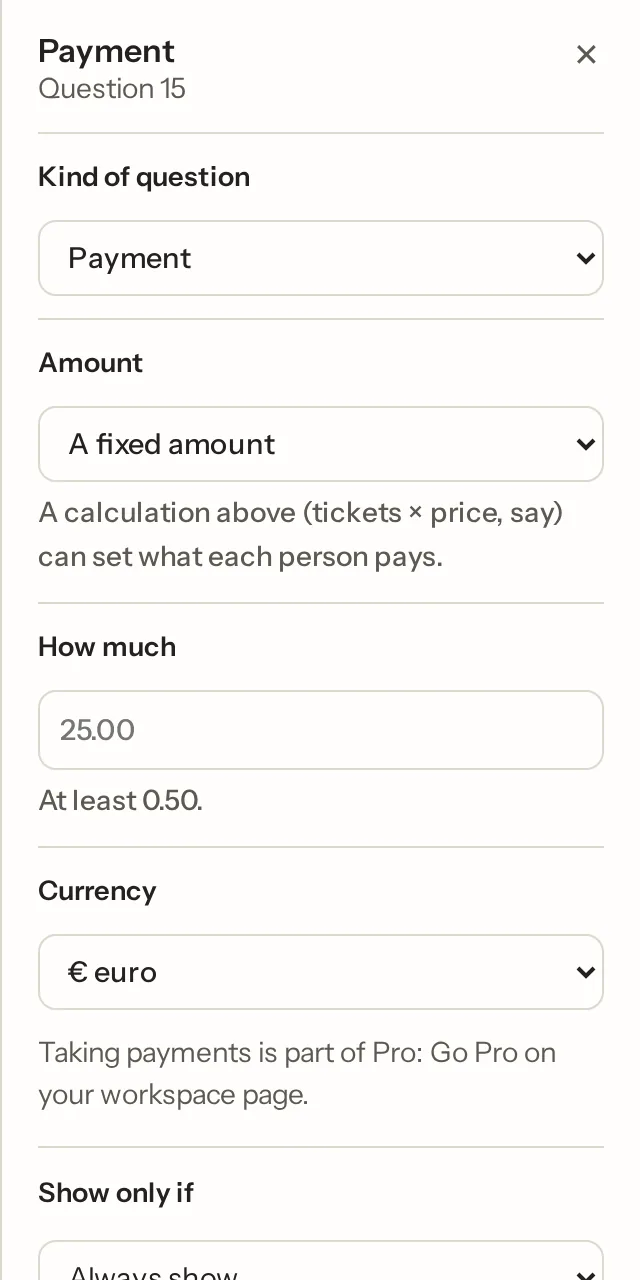
Add a Payment question (Advanced). One per form, at the top level. Set a fixed amount, or take it from an earlier numeric question, which is how a total over priced options becomes the sum charged. The currency is the form's. The question takes nothing on the page: it says what will be charged.
What the person sees
They fill in the form and press Send. The response is stored, marked "not paid", and they go to Stripe Checkout for the amount (a form embedded in another site shows a button that opens Checkout in a new tab). Once paid they see your thanks page, the response is marked paid, and only then are the emails, webhook and Sheet row sent. A cancelled or failed payment lands on a page that lets them try again. A total of zero means nothing to pay and the response goes through as usual.
In the responses
Each response shows "€25.00 paid" or "not paid", the summary totals what was paid, and Show the unpaid ones is a filter. A workspace that leaves Pro or disconnects Stripe stops taking responses on a form with a payment due, rather than taking answers it can't charge for.
Not what you were looking for? Ask us, and we'll answer and fix the page.